Integrations

Multi-Form Builder Support: Connect Contact Form 7, WPForms, Elementor Pro Forms, and Formidable Forms to the same Zoho workflow.
Zoho CRM & Bigin Support: Manage your WordPress leads and contacts directly inside the Zoho platform you already use.
Multiple Feeds: Send different forms to different Zoho modules with their own field mappings and rules.
Advanced Field Mapping: Control exactly which form fields are sent to which Zoho CRM fields.
Conditional Rules: Prevent unnecessary CRM entries by sending submissions only when your defined conditions match.
Duplicate Handling: Keep your CRM cleaner by detecting existing records using email or phone and choosing how duplicates are handled.
Tag Routing: Automatically organize contacts with default tags or tags based on submitted form values.
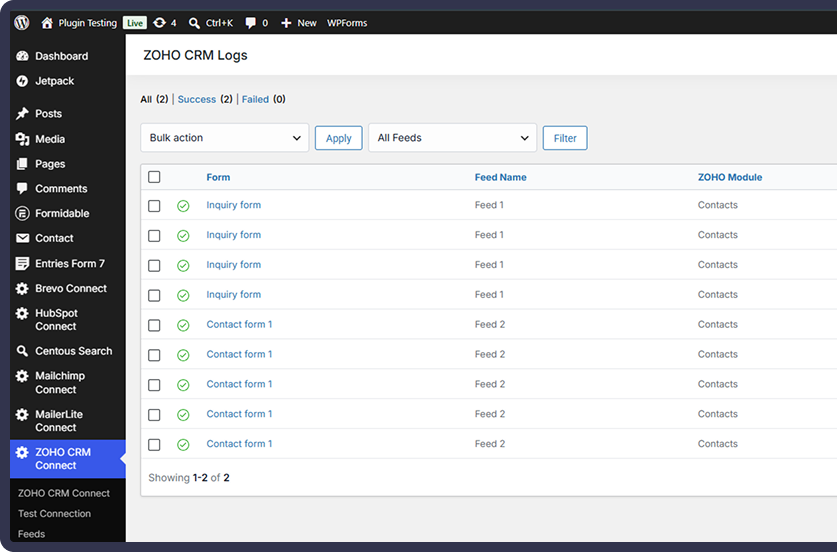
Our WordPress plugin goes beyond basic form submission. It helps you automate lead syncing, improve CRM efficiency, and manage Zoho integrations securely from one place.
Multi-Form Integration
Zoho CRM & Bigin Support
Advanced Field Mapping
Conditional Submission Rules
Smart Duplicate Handling
Dynamic Tag Routing
Manual Resend from Logs
Automatic Retry Queue
Automatically send form submissions to Zoho CRM or Bigin
Reduce manual CRM data entry and repetitive workflows
Send only qualified submissions using conditional rules
Prevent unwanted duplicate records with flexible duplicate actions
Route contacts with tags based on form values
Recover failed API submissions automatically with retry
Resend failed submissions directly from the Logs screen
Connect your WordPress forms with Zoho CRM and Zoho Bigin, automate lead and contact syncing, map fields with ease, and manage every submission with powerful Pro workflow controls.
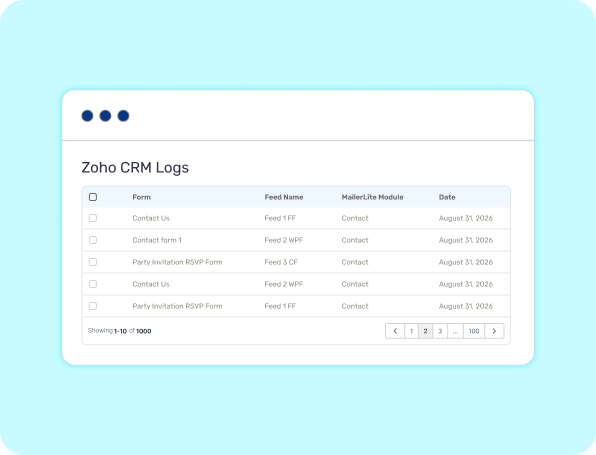
Connect Contact Form 7, WPForms, Elementor Pro Forms, and Formidable Forms to Zoho CRM or Zoho Bigin. Choose the destination module and automatically send submitted form data without manually copying leads or contacts.
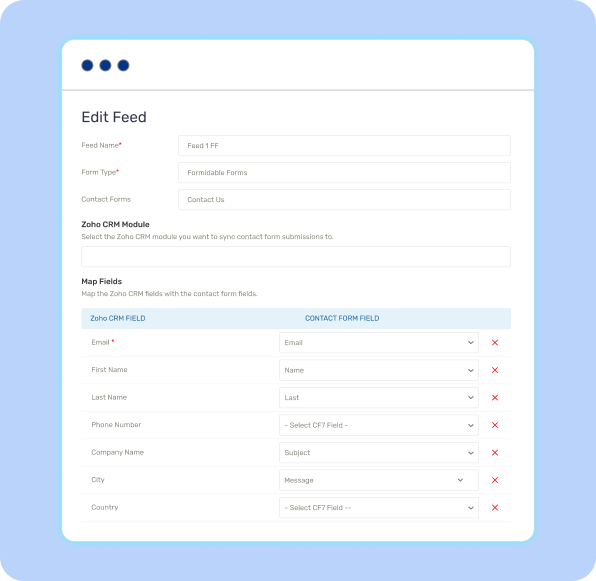
Create a feed for your form, select your Zoho service and module, and map your WordPress fields to the corresponding Zoho fields. Build accurate CRM records while keeping your form-to-CRM workflow organized.
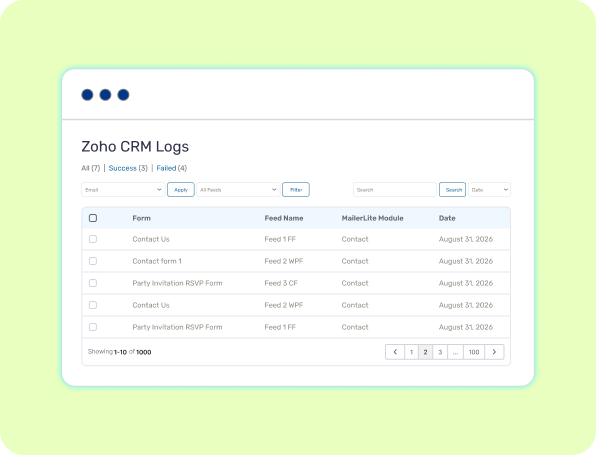
Track form-to-Zoho activity through detailed logs, search and filter submissions, inspect individual requests, add notes to Zoho records, and recover failed synchronizations with manual resend and automatic retry tools.
Choose the Right Plan for Your Business
Feature-by-Feature Plan Comparison
| Features | FREE Get Started | |
|---|---|---|
| Contact Form 7 Integration | ||
| WPForms Integration | ||
| Elementor Pro Forms Integration | ||
| Formidable Forms Integration | ||
| Zoho CRM Integration | ||
| Zoho Bigin Integration | ||
| Leads, Contacts & Accounts | ||
| Secure OAuth 2.0 Connection | ||
| Multiple Form-to-Zoho Feeds | ||
| Conditional Submission Rules | ||
| AND / OR Rule Logic | ||
| Duplicate Handling: Update / Skip / Tags Only | ||
| Manual Resend from Logs | ||
| Automatic Retry Queue |
No. You can use Contact Form 7, WPForms, Elementor Pro Forms, Formidable Forms, or any combination of the supported form plugins. You only need to install the form plugin you want to integrate.
No. Contact Form 7 is not required. You can use any supported form integration that fits your website.
Yes. The plugin supports Elementor Pro Forms through Elementor Pro's Form widget. Elementor Pro is required for this integration.
Yes. Formidable Forms is supported in addition to Contact Form 7, WPForms, and Elementor Pro Forms.
Yes. The plugin supports Zoho Bigin as well as Zoho CRM. For Bigin, supported modules include Contacts and Accounts where available.
For Zoho CRM, the plugin supports: Leads, Contacts, Accounts
Yes. With Pro Conditional Rules, you can configure conditions that determine whether a submission should be sent. You can use AND logic to require all rules or OR logic to allow any matching rule.