
Integrations

Multi-Form Builder Support: Connect Contact Form 7, WPForms, and Elementor Forms with Mailchimp. Use one form builder or combine multiple form plugins on the same WordPress site.
Automatic Mailchimp Sync: Automatically send supported form submissions to your Mailchimp audience as subscribers whenever an active feed is triggered—no manual data entry required.
Secure Mailchimp Authentication: Connect your Mailchimp account securely using OAuth 2.0 or an API key, with protected credential handling for reliable WordPress-to-Mailchimp communication.
Feed-Based Integration Management: Create and manage multiple feeds for different forms and Mailchimp audiences. Enable, disable, duplicate, search, filter, and manage feeds independently.
Advanced Field Mapping: Easily map Contact Form 7, WPForms, or Elementor form fields to Mailchimp merge fields, including custom fields, so the right information reaches the right audience.
Conditional Rules & Smart Routing: Use Pro conditional rules to control when submissions are synced. Route subscribers using Mailchimp tags and interest groups based on submitted form values.
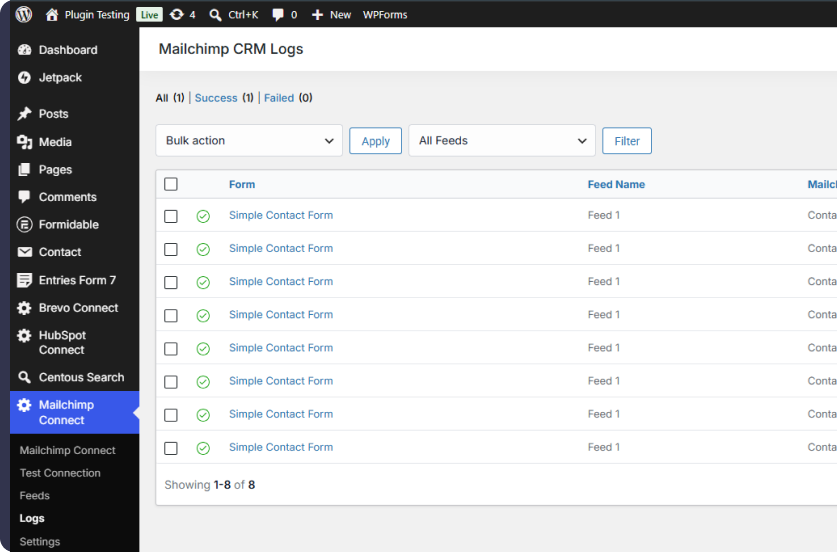
Go beyond basic form-to-Mailchimp syncing. Automate subscriber management, control your data flow, and manage reliable Mailchimp integrations directly from WordPress.
Centralized Feed Management
Advanced Field Mapping
Conditional Submission Rules
Smart Tag & Interest Group Routing
Duplicate Handling & Automatic Retries
Detailed Logs, Resend & Notes
Grow your Mailchimp audience automatically
Keep subscriber data accurate and organized
Build targeted audiences with smart routing
Recover failed syncs with retries and resend tools
Manage Mailchimp integrations from WordPress
Connect your favorite WordPress form builders to Mailchimp with flexible feeds, accurate field mapping, and reliable submission syncing. All managed directly from your WordPress dashboard.
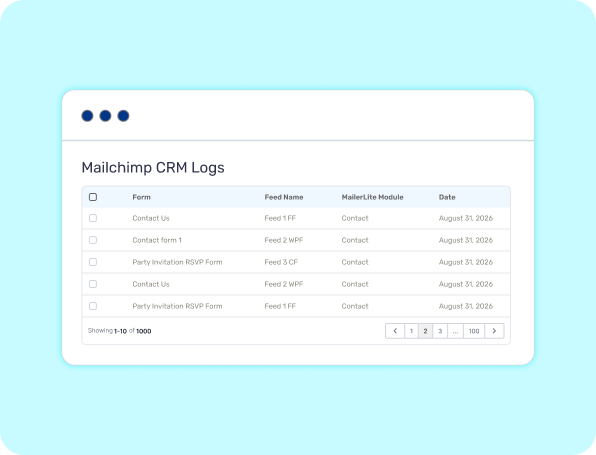
Turn every form submission into a seamless Mailchimp workflow. Automatically send subscriber data from your supported WordPress forms to the right Mailchimp audience using flexible feed configurations without repetitive manual work.
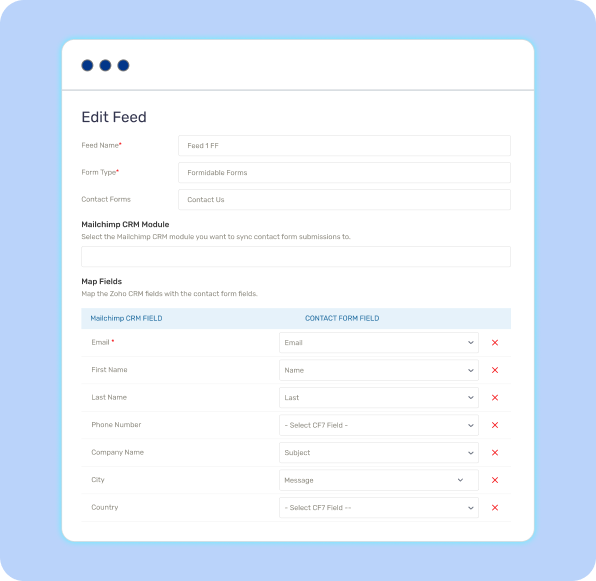
Build accurate subscriber profiles in just a few clicks. Connect your WordPress form fields with Mailchimp merge fields and ensure names, emails, phone numbers, custom data, and other submitted information reach the correct destination.
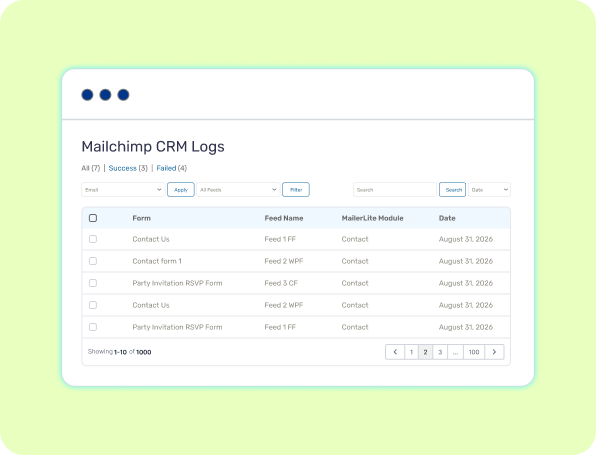
Know exactly what happens to every submission. Search, filter, and review integration logs, check successful or failed syncs, inspect request and response details, and use resend tools when a submission needs another attempt.
Choose the Right Plan for Your Mailchimp Workflow
Feature-by-Feature Plan Comparison
| Features | FREE Get Started | |
|---|---|---|
| Contact Form 7 Integration | ||
| WPForms Integration | ||
| Elementor Pro Forms | ||
| Mailchimp Audience Sync | ||
| OAuth 2.0 / API Key Authentication | ||
| Multiple Form-to-Mailchimp Feeds | ||
| Field Mapping | ||
| Test Connection | ||
| Conditional Submission Rules | ||
| Tag & Interest Group Routing | ||
| Duplicate Handling | ||
| Manual Resend from Logs | ||
| Automatic Retry Queue | ||
| Detailed API Request & Response Logs | ||
| Mailchimp Record Notes | ||
| Advanced Error Tracking |
No. Your existing form email notifications continue to work normally. The plugin adds Mailchimp synchronization alongside your existing form workflow.
The plugin supports Contact Form 7, WPForms, and Elementor Pro Forms. Elementor Forms requires the Elementor Pro Form widget.
Yes. You can connect multiple forms from the supported form builders and use Contact Form 7, WPForms, and Elementor Forms together on the same WordPress website.
Yes. The plugin connects to the Mailchimp API to create or update subscribers in your Mailchimp audience. You can authenticate using OAuth 2.0 or an API key.
Yes, for Mailchimp subscriber synchronization. Mailchimp requires an email address for subscriber records, so your form should provide an email value that can be mapped to the Mailchimp Email field.
Only the data configured through your active feed is sent. Depending on your field mapping, this can include name, email address, phone number, message, custom fields, tags, and interest groups.
Yes. Pro lets you configure conditional rules so submissions are synchronized only when your specified conditions are met.
With Pro, you can control duplicate handling. You can choose to update the subscriber, skip the submission, or apply tags only, depending on your configured workflow.
Pro includes an automatic retry queue for failed synchronizations. You can also manually resend failed submissions from the Logs screen and review the associated error information.
Yes. The Logs section records synchronization attempts, status, request and response data, and error details so you can troubleshoot your Mailchimp integrations.