Integrations

Multi-Form Builder Support: Connect Contact Form 7, WPForms, and Elementor Forms with MailerLite. Use one form builder or multiple supported form plugins on the same website.
Automatic MailerLite Sync: Automatically send form submissions to MailerLite as subscribers whenever your active feed processes a submission.
Secure MailerLite Authentication: Connect and verify your MailerLite account using an API Key for secure communication between WordPress and MailerLite.
Feed-Based Integration Management: Create and manage multiple feeds for different forms. Activate, deactivate, and configure each feed according to your workflow.
Advanced Field Mapping: Map WordPress form fields to MailerLite subscriber fields, including supported custom fields, so submitted information reaches the right destination.
Conditional Submission Rules: Send submissions to MailerLite only when configured conditions match, with flexible AND / OR rule logic.
Smart Duplicate Handling: Check subscribers by email or phone and choose how existing subscribers should be handled—update, create, or skip.
Our WordPress plugin goes beyond basic form syncing. Automate subscriber management, control how submissions are processed, route contacts to the right MailerLite groups, and recover failed syncs with powerful Pro features.
Multi-Form Integration
Advanced Field Mapping
Conditional Submission Rules
Smart Duplicate Handling
MailerLite Group Routing
Manual Resend & Automatic Retry
Grow your MailerLite subscriber audience automatically
Reduce manual work when adding and updating subscribers
Send only the form submissions that meet your conditions
Keep duplicate subscribers under control
Automatically organize subscribers into the right groups
Recover failed submissions with resend and retry tools
Connect Contact Form 7, WPForms, and Elementor Forms with MailerLite. Automatically sync subscribers, map fields, control submissions, manage groups, and monitor every integration from one place.
Connect your supported WordPress forms to MailerLite and process submissions through configurable feeds. Subscriber data can be created or updated automatically, helping you keep your MailerLite audience in sync without repetitive manual entry.
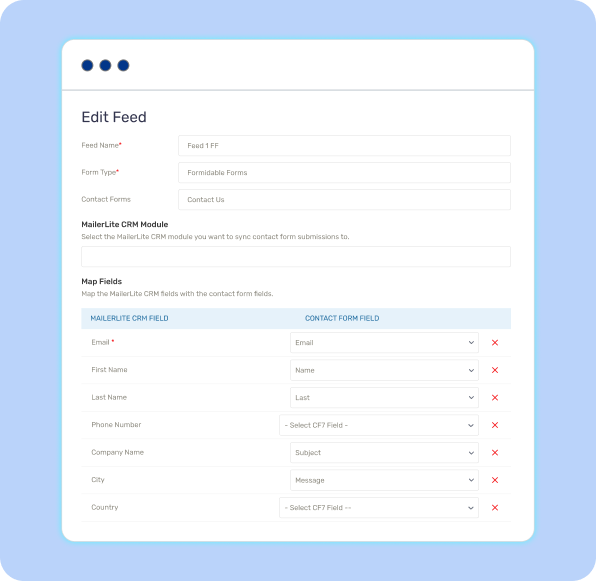
Create a feed, select your form, and map WordPress form fields to MailerLite subscriber fields. The integration supports standard subscriber information as well as custom fields, giving you control over exactly what data is synchronized.
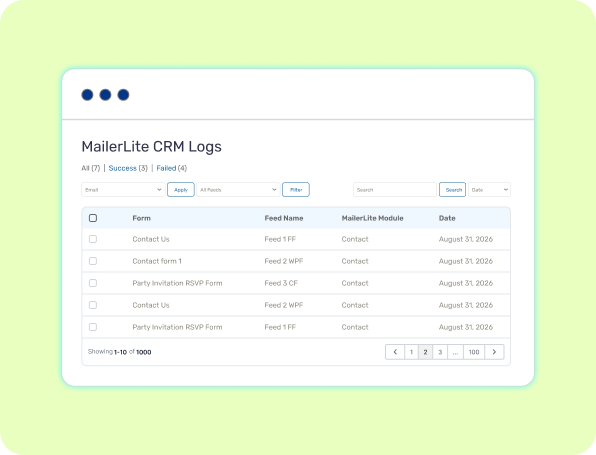
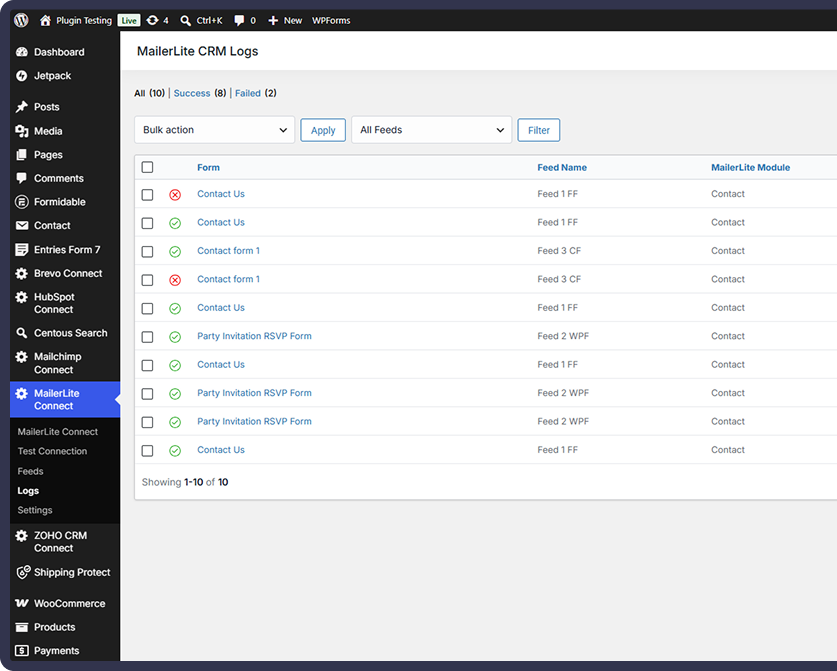
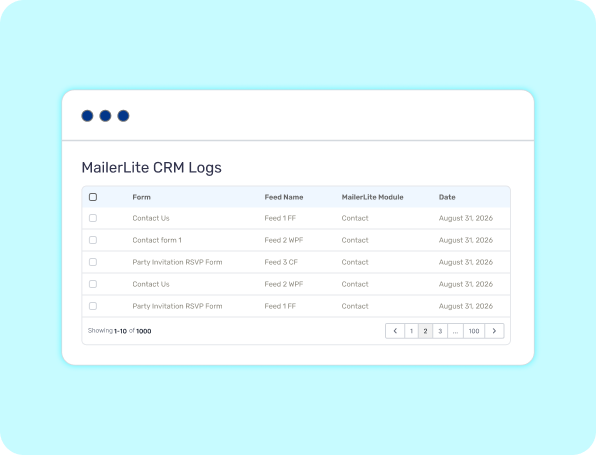
Review successful and failed submissions, inspect API requests and responses, and quickly identify synchronization issues. Detailed logs give you the information you need to troubleshoot problems and manage your form-to-MailerLite workflow confidently.
Choose the Right Plan for Your Business
Feature-by-Feature Plan Comparison
| Features | FREE Get Started | |
|---|---|---|
| Contact Form 7 Integration | ||
| WPForms Integration | ||
| Elementor Forms Integration | ||
| MailerLite Subscriber Sync | ||
| Secure API Key Connection | ||
| Multiple Feed Support | ||
| Flexible Field Mapping | ||
| Custom Field Mapping | ||
| Connection Testing | ||
| API Request & Error Logs | ||
| Conditional Submission Rules | ||
| AND / OR Condition Logic | ||
| Duplicate Detection | ||
| Update / Create / Skip Duplicates | ||
| MailerLite Group Routing | ||
| Default Group Assignment |
The plugin supports Contact Form 7, WPForms, and Elementor Forms. You can use one supported form builder or combine multiple supported form plugins on the same WordPress website. Elementor Forms requires Elementor Pro.
The plugin currently focuses on subscriber synchronization. You can map WordPress form data to MailerLite subscriber fields, including supported custom fields.
Go to the plugin's MailerLite connection area and connect your MailerLite account using an API Key. You can then test the connection before configuring your feeds and field mappings.
The integration records the request, response, and error details in the logs. With Pro, failed submissions can also be manually resent or placed into the automatic retry queue for another attempt.
Yes. The plugin uses a feed-based configuration system, allowing you to create and manage multiple feeds for your supported forms and different synchronization configurations.
Yes. Pro includes conditional submission rules with AND and OR matching logic, allowing you to control whether a submission should be synchronized based on submitted form data.
Pro can check for existing subscribers using email and/or phone. When a duplicate is found, you can configure the integration to update the existing subscriber, create a new subscriber, or skip the submission.
Yes. Pro supports default group assignment and field-based group routing, allowing subscribers to be assigned to specific MailerLite groups based on your configured rules.
Yes. Pro provides a resend option from the integration logs, allowing you to retry a failed submission without requiring the visitor to submit the form again.