
Integrations

Multi-Form Builder Support: Compatible with Contact Form 7, WPForms, and Elementor Forms. You can run one form builder or several on the same site.
Automatic HubSpot Sync: Form submissions go to HubSpot based on your feed settings. Sync runs on every submission, even if no admin is logged in.
Secure HubSpot Authentication: Connect your HubSpot account with OAuth 2.0 or an API key. Credentials are stored securely for safe communication between WordPress and HubSpot.
Feed-Based Integration Management: Create, activate, and manage a feed for each form. Search, filters, and bulk actions help when you have many forms and different HubSpot objects (Contacts, Companies, Deals, Tickets, and Tasks).
Advanced Field Mapping: Map WordPress form fields to HubSpot Contacts, Companies, Deals, Tickets, or Tasks with a simple visual interface so data lands in the right CRM properties.
Detailed Integration Logs: Track every sync attempt with success or failure status, full request and response data, and a direct link to the related HubSpot record. Resend submissions from logs and retry failed syncs automatically.
Add Notes to HubSpot Records: Add an internal note from the WordPress log detail page and sync it to the matching HubSpot Contact, Company, or Deal for team follow-up.
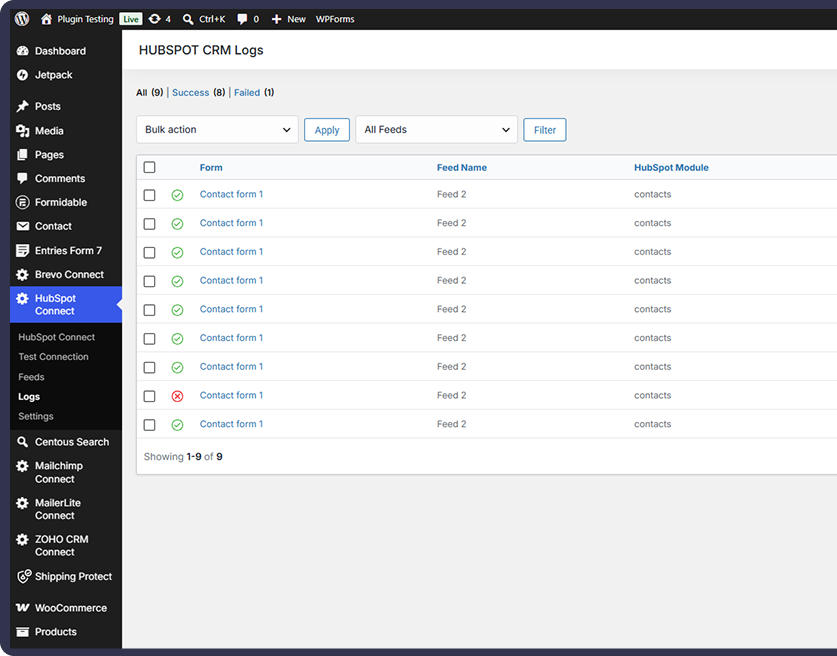
Our WordPress plugin does more than pass form data along. It syncs leads to HubSpot, keeps your CRM up to date, and lets you manage every integration from one admin screen.
Centralized Feed Management
Advanced Field Mapping
Form-Based Filtering
Active/Inactive Feed Control
Detailed Integration Logs
View Log Details & Add Notes
Grow your HubSpot CRM pipeline automatically
Cut out manual data entry for every form submission
Give sales better follow-up with accurate contact data
Catch sync errors right away with email alerts
Keep data sync controlled and privacy-friendly
Connect Contact Form 7, WPForms, and Elementor Forms to HubSpot. Sync submissions as Contacts, Companies, Deals, Tickets, or Tasks, and manage every feed from one admin screen.
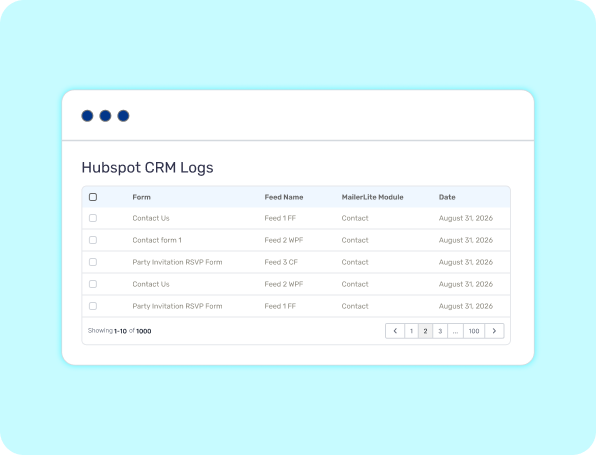
When a visitor submits a form, the plugin sends mapped data to HubSpot in the background. Sync runs on every submission, even if no admin is logged in.
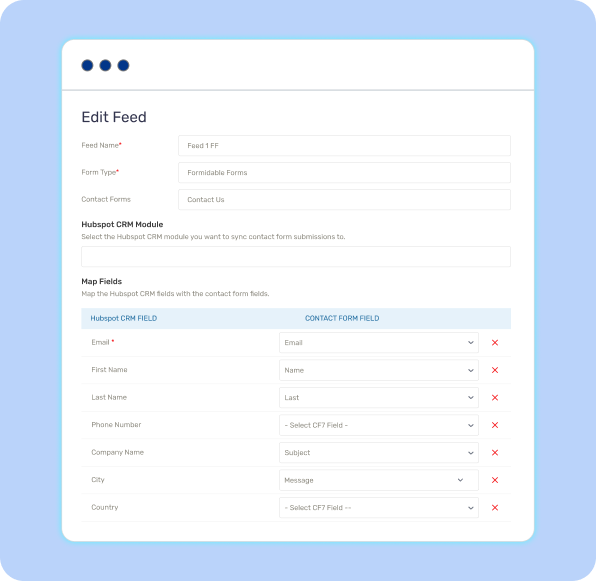
Choose Contacts, Companies, Deals, Tickets, or Tasks, then map WordPress fields to HubSpot properties so names, emails, phones, and custom data land in the right CRM fields.
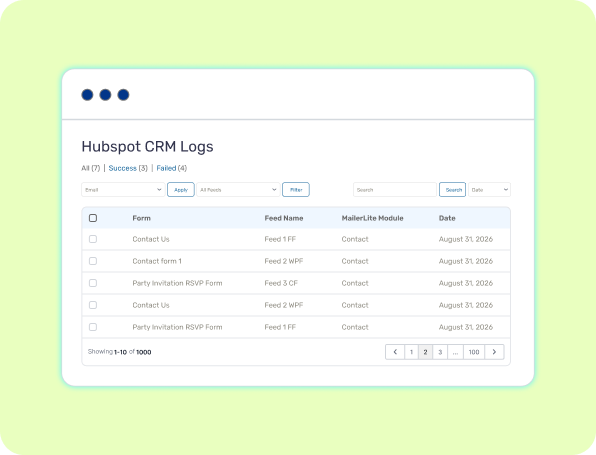
Open the Logs screen to search, filter by form or status, inspect request and response data, add notes to HubSpot records, and resend or retry failed syncs.
Choose the Right Plan for Your Business
Feature-by-Feature Plan Comparison
| Features | FREE Get Started | |
|---|---|---|
| Sync Contact Form 7 submissions | ||
| WPForms support | ||
| Elementor Forms support | ||
| HubSpot Contacts | ||
| HubSpot Companies | ||
| HubSpot Deals | ||
| HubSpot Tickets | ||
| HubSpot Tasks | ||
| OAuth 2.0 authentication | ||
| API key authentication | ||
| Advanced field mapping | ||
| Multiple feeds | ||
| Error email alerts | ||
| Conditional sync rules | ||
| Duplicate handling (create / update / skip) | ||
| Contact ↔ Company and Contact ↔ Deal associations |
Form data and API logs (if logging is enabled) are stored in your WordPress database for sync, debugging, and notes. OAuth tokens or API keys are stored securely. You can optionally delete plugin data on uninstall.
No. It is not affiliated with or endorsed by HubSpot, Inc. HubSpot is a registered trademark of HubSpot, Inc.
No. Pro replaces the free plugin and deactivates it to avoid conflicts. Use Pro only, then remove the free plugin folder if it is still installed.
Yes. Open a log entry, add an internal note, and sync it to the matching HubSpot Contact, Company, or Deal.
Failed attempts are stored in Logs with request and response data. Pro can email you on errors, let you resend from Logs, and retry failed syncs automatically.
Yes. Pro supports Contact ↔ Company and Contact ↔ Deal associations, including routing based on form values.
Pro can match existing Contacts by email or phone, then create, update, or skip so you do not add duplicate CRM records.
Yes. Conditional rules send a submission only when form values match your AND/OR conditions.