
Compatibilty
Requirements
Integrations

Automatic Database Storage: Every Contact Form 7 submission is saved instantly in a secure database table, even if email notifications fail.
Searchable & Filterable Entries: Find form entries fast using field search, form filters, and date ranges ideal for busy admins and support teams.
Entry Status: Read / Unread: Mark entries as read or unread to manage lead flow and response prioritization.
Export Entries in CSV Format: Download all form submissions with one click for reporting, CRM import, or offline review.
Editable Entry Notes: Add internal notes or comments to each entry to assist teams and track follow-ups.
Sortable & Flexible Listings: Display entries in sortable columns and adjust table views to match your workflow.
Secure & GDPR-Ready Options: Optional settings let you disable IP, browser, or other personal data storage for compliance.
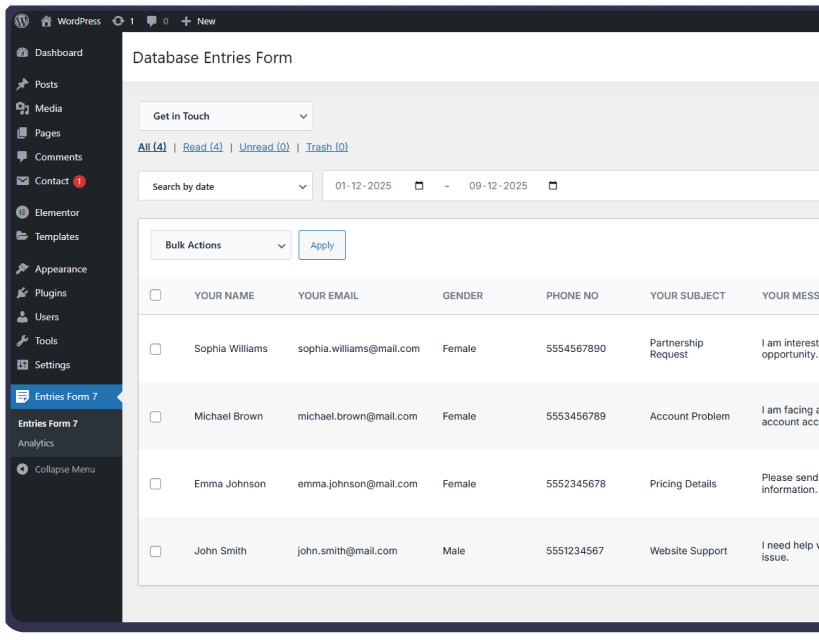
Our WordPress plugins go beyond simple integrations—helping you automate workflows, boost efficiency, and ensure secure, GDPR-compliant data management.
Centralized Entry Management
Advanced Search
Form-Based Filtering
Read/Unread Status Management
Trash & Restore Capabilities
View & Edit Entries
Increase email subscriber base automatically
Reduce manual data entry by 100%
Improve conversion rates with targeted campaign
Ensure GDPR compliance effortlessly
GDPR compliance tools
Our plugin extends the functionality of Contact Form 7 with seamless integrations, secure data handling, and performance-optimized tools—so you can manage form submissions with ease.
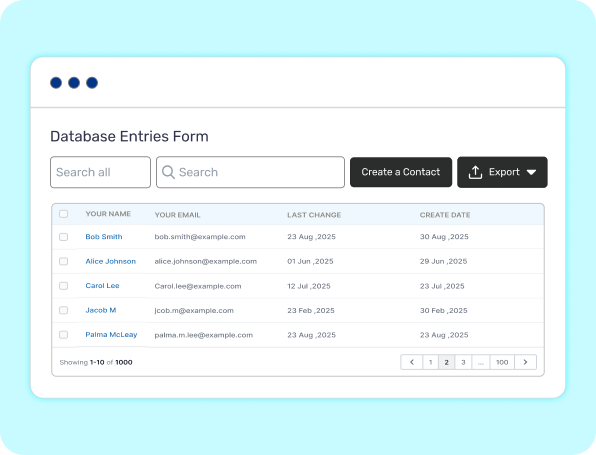
Never lose important leads again. Each Contact Form 7 entry is securely stored in your database, giving you a complete backup even if emails fail.
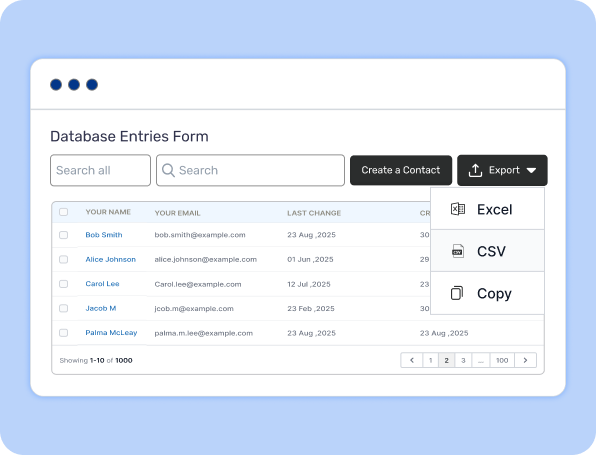
Generate downloadable CSV reports with a single click for analysis, CRM imports, or sharing with your team.
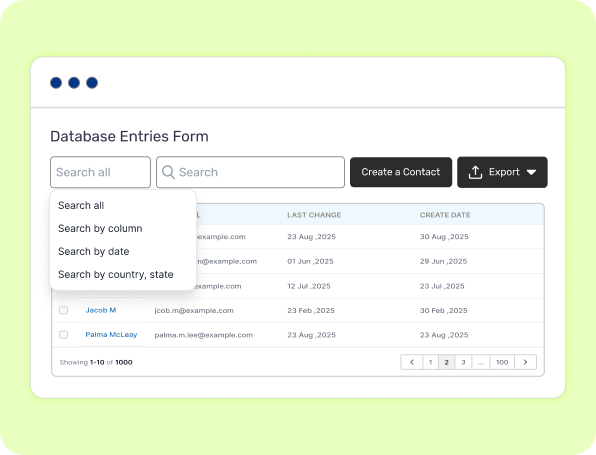
Manage your submissions with a clean entries dashboard that supports search, sorting, form-based filtering, and read/unread status for smooth workflow management.
Choose the Right Plan for Your Business
BUSINESS PLAN
Focused on boosting productivity, reporting, and advanced entry workflow
$99/year
Get StartedFeature-by-Feature Plan Comparison
| Features | FREE Get Started | |
|---|---|---|
| Save CF7 Submissions | ||
| Search & Filter Entries | ||
| Read/Unread Status | ||
| Export CSV | ||
| Entry Notes & Tags | ||
| Star / Un-star Entries | ||
| Front-End Display (Shortcode) | ||
| Advanced Filters (Date Range) | ||
| Analytics & CRM Parameters | ||
| Analytics & CRM Parameters | ||
| Priority Premium Support |
No. Emails still function normally. This plugin only provides database storage and management.
Yes. Entries can be exported in CSV format for Excel, or PDF.
Yes. You can disable storing sensitive data such as IP address and browser info if needed.
Currently designed for Contact Form 7 integration.